Easy Net Switch6.7.0
Publisher Description
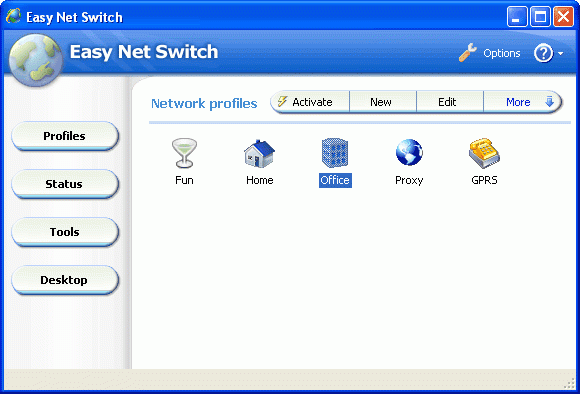
Do you use your computer in different networks or locations?
Easy Net Switch enables you to automatically select correct network settings (IP address, Gateway, DNS, WINS, WiFi, MAC address), proxys, drive mappings, printers, SMTP and much more with a single click. It's not only an IP switcher, but also a handy tool that helps you to connect the computer to different networks more easier!
Easy Net Switch is a powerful and easy to use program which stores network and Internet configuration settings into network location profiles. By switching between net profiles, you can quickly and easily connect to a network without having to manually reconfigure settings or restart the computer each time.
The advantages of Easy Net Switch compare with others:
1) Lightweight, efficiency and stable,
2) Flexible and easy to use,
3)Show IP address on the desktop wallpaper,
4) Useful build in network tools, such as traceroute and ping,
5) Auto import network settings,
6) Intelligent profile export and import wizard.
About Easy Net Switch
This program is available in English. It was last updated on 29 September, 2026. Easy Net Switch is compatible with the following operating systems: Windows.
The company that develops Easy Net Switch is Easy Net Switch. The latest version released by its developer is 6.7.0. This version was rated by 1 users of our site and has an average rating of 4.0.
The download we have available for Easy Net Switch has a file size of 1.0 MB. Just click the green Download button above to start the downloading process. The program is listed on our website since 2010-06-28 and was downloaded 729 times. We have already checked if the download link is safe, however for your own protection we recommend that you scan the downloaded software with your antivirus. Your antivirus may detect the Easy Net Switch as malware if the download link is broken.
How to install Easy Net Switch on your Windows device:
- Click on the Download button on our website. This will start the download from the website of the developer.
- Once the Easy Net Switch is downloaded click on it to start the setup process (assuming you are on a desktop computer).
- When the installation is finished you should be able to see and run the program.
Program Details
System requirements
Download information
Pricing
Version History
version 6.7.0
posted on 2010-06-28
Compatible with Windows 7
